Writing alt text and file names for rug product photos
How to write alt text and file names for rug product photos: describe the rug and the view, keep it short, and avoid stuffing keywords.
Drafted with AI assistance from Larina's own guides and the sources listed, then checked by automatic quality rules.
This article is available in English only.
Ask an AI assistant about this article
Open ChatGPTOpen PerplexityOpen ClaudeOpen CopilotOpen Gemini
These links only open the service. Some may fill the request in; if the box is empty, paste it.
Quick answer
Rug image alt text is a short sentence that tells someone who cannot see your photo what it shows: the rug, its main colours and pattern, and the view. Write one plain sentence per photo, in the order a shopper would notice things. Name each file with the SKU and a short description joined by hyphens, never the camera default. You need no special software, only a list of your rugs and a habit of describing what is in the frame.
What alt text is for
Alt text exists so a person who cannot see the image still knows what it shows. Screen readers read it aloud. A shopper using one hears your sentence in place of the picture. If the alt text is missing, they may hear the file name, or nothing useful at all.
Search engines also read alt text to understand an image. They cannot look at a rug the way a person does, so your words help them work out what the photo contains. Good alt text serves both readers at once, and the person always comes first.
Think of it as describing the photo to a friend on the phone. You would not say "beautiful rug, best quality." You would say what it is, what colours it has, and what part of it you are looking at.
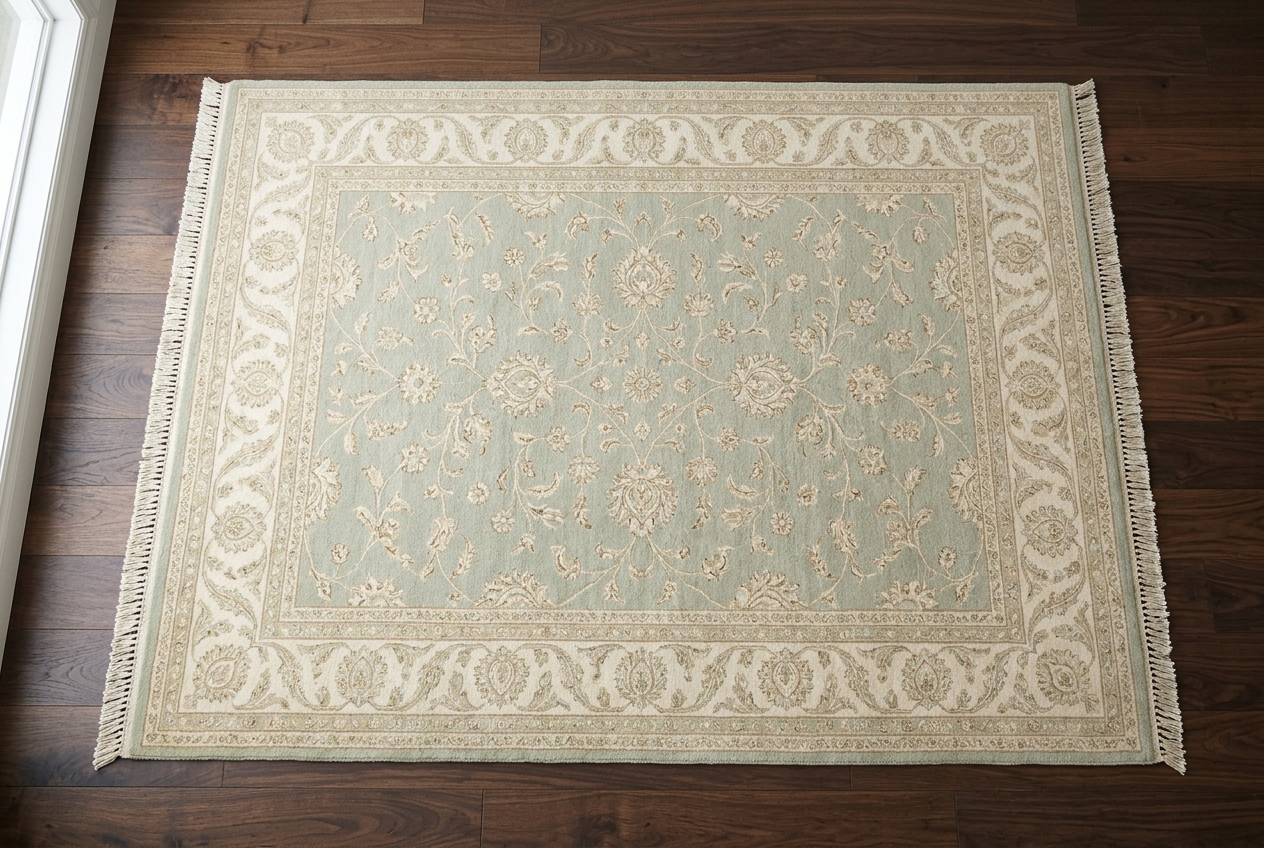
For the illustration above, honest alt text could read: "Pale sage and cream floral wool rug laid flat on a dark walnut floor, seen from above." It names the rug, the colours, the pattern, the setting and the angle. Nothing more is needed.
A simple pattern for rug photos
Say what the rug is, its main colours and pattern, and what the photo shows. Keep it to one sentence. That pattern covers nearly every rug image you will publish.
Build the sentence in this order:
- What it is. Rug type and material, if you know it: "hand-knotted wool rug", "flatweave runner", "jute rug".
- Main colours. Two or three, named plainly: "rust, navy and ivory".
- Pattern. "Medallion", "geometric", "floral border", "plain".
- What the photo shows. The view or detail: "full rug from above", "close-up of the fringe", "corner showing the back".
Put together: "Rust, navy and ivory hand-knotted wool rug with a central medallion, full rug from above."
The last part matters more than sellers expect. A gallery often holds several photos of the same rug. If every image says the same thing, a screen reader user hears the same sentence over and over and learns nothing new. The view is what makes each description different.
Keep the sentence short enough to hear in one breath. If you find yourself adding a second sentence, you are usually repeating the product description. Move that detail to the listing text instead.
File names
Use the SKU and a short description, separated by hyphens. For example: `rg204-rust-navy-medallion-wool-fringe.jpg`. Lowercase letters keep it tidy and consistent.
Avoid camera default names such as IMG_1234. They tell you nothing when you search your own folders, and they tell a search engine nothing about the picture. Rename files before you upload, not after. Once a file is live, changing its name can mean re-uploading it.
A few rules keep file names useful:
- Start with the SKU so files sort together by product.
- Add the main colour and pattern in a couple of words.
- End with the view: `front`, `back`, `fringe`, `corner`, `room`.
- Use hyphens between words, not spaces or underscores.
- Skip filler like `final`, `new` or `edit`.
The file name is for you and for search. The alt text is for people. They can share words, but the alt text should read as a natural sentence, while the file name is a compact label.
For more on this topic, see our article: Store-ready photos from one upload.
How do you write alt text for a room scene?
Describe the rug first, then the room in a few words. The shopper is buying the rug, so it leads the sentence. The room is context.
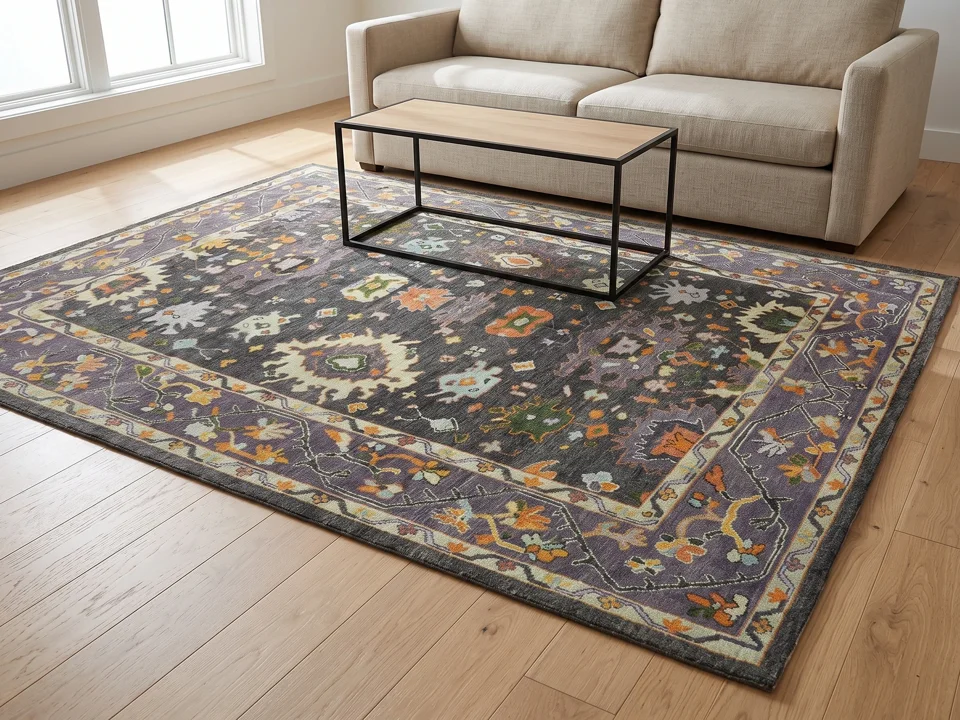
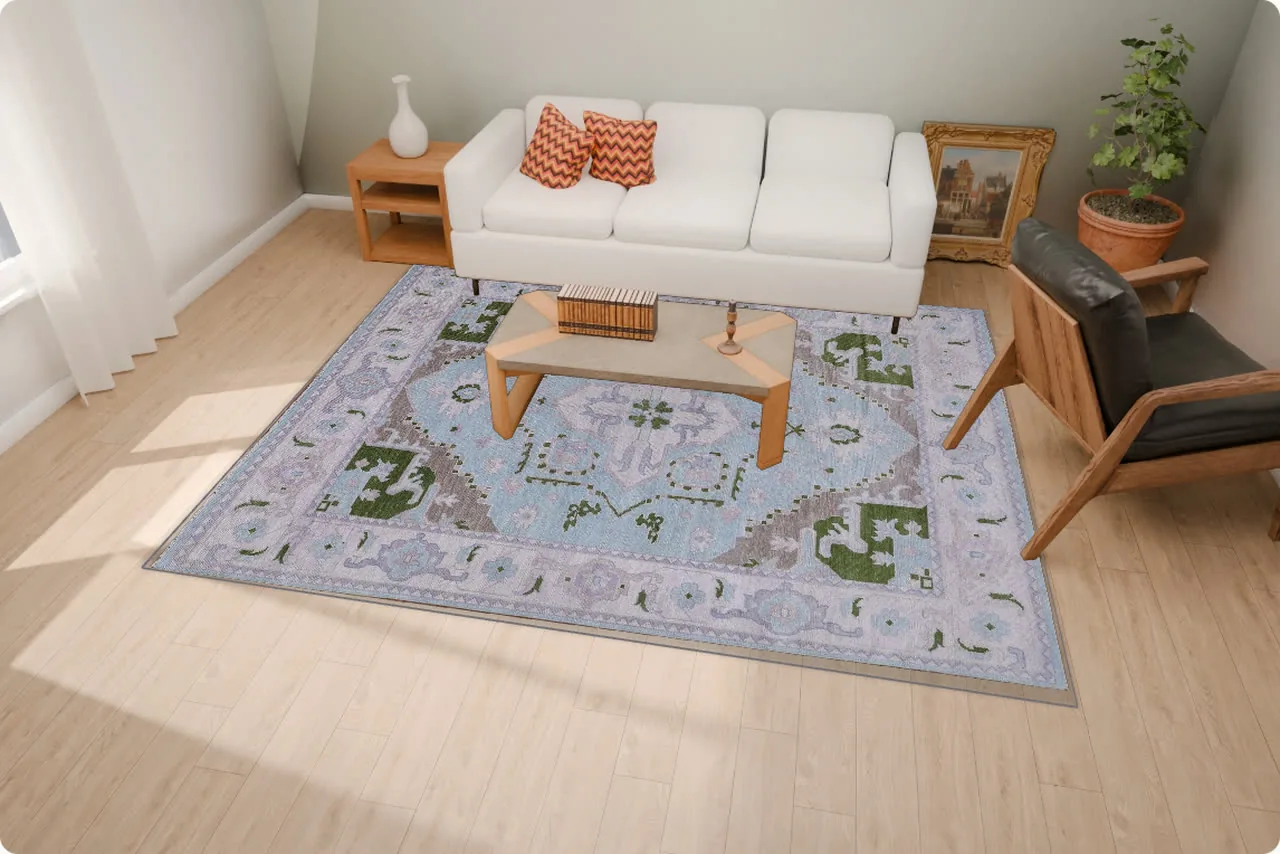
A good room scene description might read: "Ivory and grey geometric rug under a wooden coffee table in a bright living room." That tells the listener the rug colours, the pattern, and roughly how it looks in use.
Do not list every object in the room. A sofa, a lamp, a plant and a bookshelf turn the sentence into an inventory. Mention furniture only when it helps someone picture the rug's place, such as under a bed or beside a dining table.
If the room scene is an illustration or a digital composite rather than a real room, the alt text still describes what the image shows. Stay accurate about the rug itself, because a shopper will judge the real product against your words.
For more on this topic, see our article: Room scenes for your rugs, from one photo.
How do you describe close-ups and detail shots?
Name the detail and what it reveals. A close-up exists to show something the full view cannot, so say what that something is.
Examples:
- "Close-up of the cream cotton fringe on a navy wool rug."
- "Back of the rug showing the knots and weave."
- "Corner detail of the red floral border."
Detail photos are where texture lives. Conservation guidance notes that with raking light, "the surface topography and texture of the subject plane are emphasized through the creation of shadows," and that it "can amplify the appearance of indentations, undulations, inlays, textile weaves" [5]. If your close-up was lit that way to show pile or weave, you can say so plainly: "Low side light showing the raised pile texture."
Textile documentation practice also lists "overall front and back views" and "details of damage" as standard views [4]. That is a useful checklist for your own gallery, and each of those views deserves its own description.
Should alt text include the size, price or SKU?
Usually not. Alt text describes what the photo shows, and a photo does not show a price or a stock code.
Size is a judgement call. If the image makes scale clear, such as a runner along a hallway, you might say "long narrow runner in a hallway." Avoid writing exact dimensions in alt text, because they belong in the product details, where shoppers expect them and where you update them in one place.
The SKU belongs in the file name, not the alt text. A screen reader user gains nothing from hearing a code. It also makes every description sound robotic.
Prices change. If you put one in alt text, it will go stale, and a shopper may hear the wrong figure. Keep the alt text about the picture and let the listing handle the facts that change.
How long should rug image alt text be?
One sentence is the right length for almost every rug photo. Short enough to hear quickly, long enough to be useful.
There is no need to count characters. Read your sentence aloud. If you run out of breath or lose track of the start, cut it down. If it sounds like a label rather than a description, add the view or the colours.
Too short looks like this: "Rug." Too long looks like a paragraph about origin, care, materials and decor ideas. The useful middle names the rug, its colours, its pattern and the view.
Do not start with "Image of" or "Photo of." Screen readers already announce that it is an image. Begin with the rug itself. The one exception is when the type of image matters, such as "Illustration of" for artwork that is clearly not a photograph.
Do you need alt text on every photo in the gallery?
Yes, give every product photo its own alt text. Each image shows something different, so each one deserves a description.
Galleries tend to follow a rhythm: full front view, back, corner, fringe, texture, room scene. Write a sentence for each that names the view. A listener moving through the gallery then hears a short tour of the rug rather than one repeated line.
Copying the same alt text across all images is a common shortcut. It is better than nothing, but only a little. It hides what each additional view in the gallery is meant to show.
If two photos are nearly identical, ask whether you need both. Cutting a duplicate image is often easier than inventing a difference in the description. A tight gallery with clear alt text serves shoppers better than a long one with vague labels.
What goes wrong with rug alt text and file names?
The usual problems are missing alt text, keyword lists, repeated descriptions and camera file names. Each has a quick fix.
Keyword stuffing is the one sellers fall into most easily. Alt text like "rug rugs area rug wool rug living room rug buy rug" helps nobody. A screen reader reads every word aloud, and it sounds like noise. Write a sentence a person would say.
Another problem is describing what you wish the photo showed. If the rug is pictured in a cool light, do not call it "warm terracotta" because that is the catalogue name. Describe the photo, and handle colour notes in the listing.
| Problem | Cause | Fix |
|---|---|---|
| No alt text | Uploaded in a rush | Add one sentence per image before publishing |
| "Rug rugs area rug" | Writing for search, not people | Rewrite as a natural sentence |
| Same text on every image | Copied across the gallery | Name the view in each one |
| File named IMG_1234 | Camera default kept | Rename to SKU plus short description |
| "Image of a rug" | Habit | Start with the rug itself |
| Wrong colour words | Using the catalogue name | Describe what the photo shows |
How do you fix alt text across a whole catalogue?
Work in batches by product, using a simple sheet. Fixing a catalogue is tedious, but it is mostly mechanical once you have the pattern.
Set up a spreadsheet with columns for SKU, view, file name and alt text. Fill the SKU and view columns first. Then write the alt text row by row, using the pattern: what it is, colours, pattern, view.
Do one product completely before moving on. That way the descriptions for one rug read consistently, and you notice repeated sentences straight away.
Start with your best sellers or newest stock, since those pages get the most visits. Older listings can follow in later sessions.
Keep the sheet afterwards. When you add new rugs, copy a similar row and edit it. Over time you build a house style that keeps your descriptions consistent without much thought.
For more on this topic, see our article: Your rugs, in a room, on your store.
Does alt text help rug photography show up in search?
Alt text gives search engines a plain description of your images, and that is its whole job there. Treat it as a clear label, not a ranking trick.
Search engines read alt text and file names as signals about what an image contains. Clear, accurate descriptions make that job easier. Good rug photography helps the page too: sharp images, honest colour and a clear view of the rug.
Where images appear in search is outside your control. What you can control is accuracy and clarity. A description that serves a person using a screen reader is also the kind of plain, specific text that makes sense to a search engine.
So write for the person. Use the words a shopper would use, like "runner", "wool" or "geometric", because they are true and natural, not because you are chasing a term.
What about decorative images on the page?
Decorative images can have empty alt text so screen readers skip them. Product photos are never decorative.
A decorative image is one that adds nothing to the meaning of the page: a background texture, a divider line, a pattern used as a border. Describing these wastes the listener's time. Many store platforms let you leave the alt field empty for such images, which tells screen readers to pass over them.
Rug photos on a product page are different. They are the product. Every one of them needs real alt text, even the fifth corner shot.
Banner images on a collection page sit in between. If a banner shows a real rug from your range, describe it briefly. If it is just mood and texture, it can be treated as decorative.
How do you describe colours people can trust?
Use plain colour words that match what the photo shows. Avoid fanciful names that a listener cannot picture.
"Sage green", "ivory", "rust", "navy" and "charcoal" are easy to imagine. Names like "whispering dawn" or "desert mirage" mean nothing without the picture. Save creative names for the product title, if you use them at all.
Name the main colours in order of how much space they take. A mostly ivory rug with navy accents is "ivory and navy," not "navy and ivory."
Colour accuracy starts in the photo. Conservation photography notes that pictures should be taken in ambient lighting, and records the "type of illumination, placement and level of lights" [4]. Noting how you lit a shot helps you keep colour consistent across a collection, so your words and pictures agree.
Should alt text mention flaws or wear?
Yes, if the photo shows them. Alt text describes the picture, and a photo of wear is there for a reason.
Vintage and antique rugs often have honest signs of age. If a close-up shows a worn patch, a repair or faded colour, say so: "Close-up of a worn area in the red field near one corner." This builds trust with every shopper, not only those using screen readers.
Conservation guidance explains why such details matter. It notes that folds "create weak points which will eventually wear and break," and that "water damage can ruin colors and weaken supporting fibers" [3]. Buyers of older rugs often look for exactly these signs.
Keep the tone factual. Describe what is visible without softening it or exaggerating it.


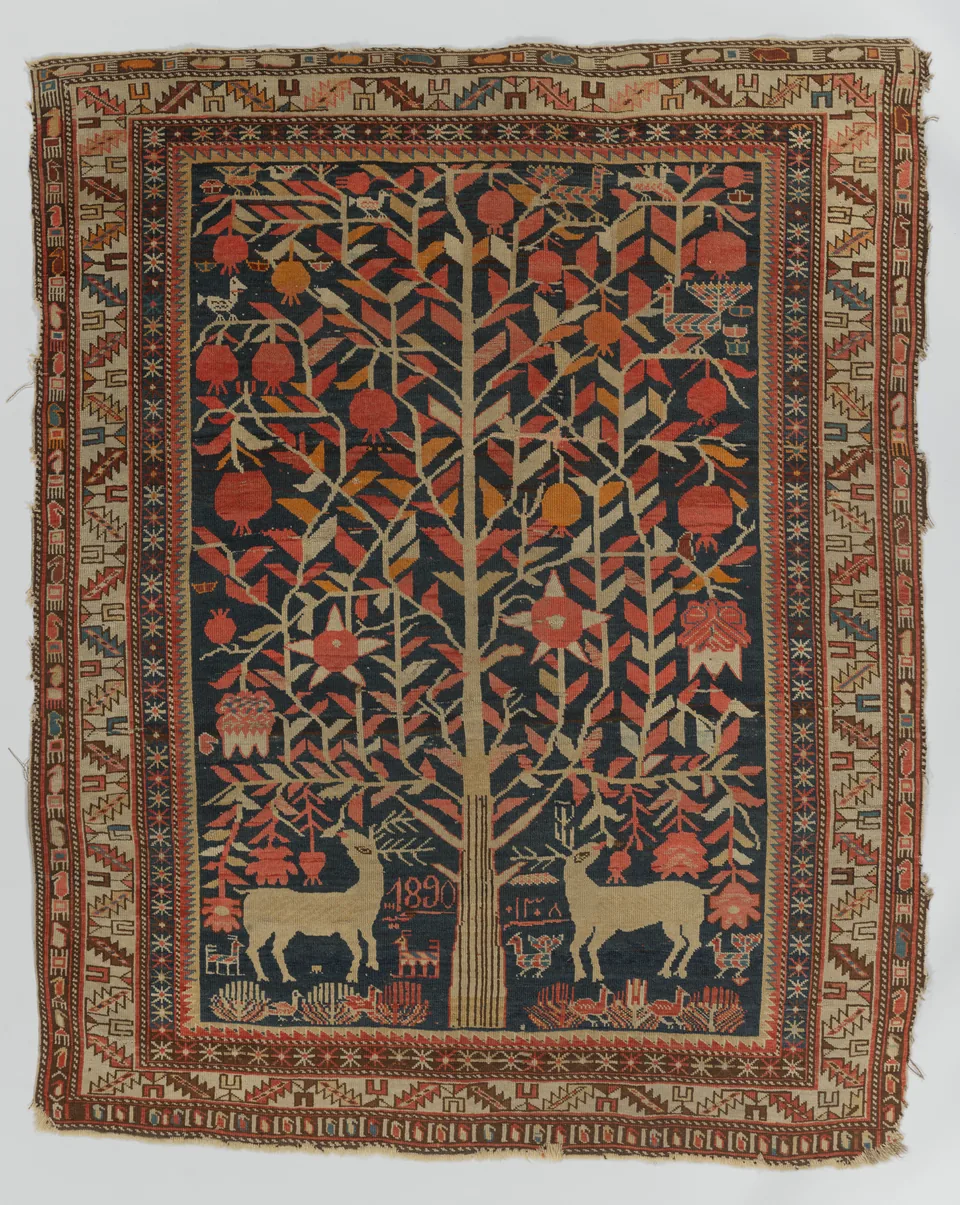
These museum pieces show why specific words matter. "Rug image" would fit both. A description naming the type, region and visible design tells them apart at once.
How do you check your work before publishing?
Read each description aloud with your eyes off the photo. If you can picture the image from the words alone, it works.
Run through this short check for every listing:
- Does each image have its own alt text?
- Does each sentence name the rug, the colours, the pattern and the view?
- Is each description one sentence, with no keyword lists?
- Does any sentence begin with "Image of" or "Photo of"?
- Are the colour words plain and true to the photo?
- Does each file name start with the SKU and end with the view?
- Are decorative images left empty, and product photos described?
If your store has a preview mode, open the page and check that alt text actually saved. Some upload tools drop it when files are replaced. A quick look after publishing catches that.
Where Larina fits
Larina's /features page lists "Room scenes, close-ups and clean shots from one photo", "A whole rug collection, queued in one go" and "Finished photos straight to your product pages" [1]. Larina's monthly plans start at $49 for 50 photos a month (Pro) [2]. Unused Larina credits do not expire [2]. Whatever tool makes your images, the alt text and file names are still yours to write.
Related reading
- Store-ready photos from one upload
- Your rugs, in a room, on your store
- Room scenes for your rugs, from one photo
Final takeaway
Good rug image alt text is one honest sentence describing the photo for someone who cannot see it. Lead with the rug, name its main colours and pattern, and finish with what the photo shows, such as the full view, the back or the fringe.
Give every product photo its own description, so a gallery reads like a short tour rather than one line on repeat. Leave out prices, SKUs and keyword lists. Use plain colour words that match the picture, and mention wear when the photo shows it.
For file names, start with the SKU, add a couple of words for colour and pattern, and end with the view, all lowercase and joined by hyphens. Rename before you upload, and never leave camera defaults in place.
Work in batches with a simple spreadsheet, starting with your busiest listings. Read each sentence aloud before publishing. If you can picture the photo from the words alone, you are done.
Frequently asked questions
Can I use the product title as alt text?
Not on its own. A title rarely says what each photo shows. Start from the title if it helps, then add the colours, pattern and specific view for each image.
Should alt text be different for each colourway of the same rug?
Yes. Each colourway looks different, so name its actual colours. Reusing one description across colourways gives screen reader users wrong information about the rug they are considering.
Do I need alt text for images in my blog posts too?
Yes, for any image that carries meaning. Describe rug photos the same way. Purely decorative images in posts can have empty alt text so screen readers skip them.
Is it fine to write alt text in my store's language only?
Write it in the language of the page. If your store has translated pages, translate the alt text too, so listeners hear descriptions in the language they chose.
Can I put hyphens or spaces in file names?
Use hyphens between words. Spaces can turn into odd characters in web addresses, and underscores are harder to read. Lowercase letters with hyphens stay clean everywhere.
What if I do not know the rug's material?
Leave it out rather than guess. Describe the colours, pattern and view you can see. A wrong material in the alt text misleads shoppers and is harder to correct later.
Sources
- Built for products where every detail matters (larina.ai): https://larina.ai/features
- Pricing (larina.ai): https://larina.ai/pricing
- Attics and Basements and Closets, Oh My! Part 7: Rugs and Carpets | Art Conservation Resources (artcons.artsci.udel.edu): https://artcons.artsci.udel.edu/?p=956
- Textile Conservation Catalog, Chapter IV, Section E: Photographic documentation (American Institute for Conservation, Textile Specialty Group): https://www.conservation-wiki.com/wiki/TSG_Chapter_IV._Documentation_of_Textiles_-_Section_E._Photographic_Documentation
- Raking light (American Institute for Conservation, Conservation Wiki): https://www.conservation-wiki.com/wiki/Raking_light